
11 Gestalt Principles of Design [Infographics Included]
Gestalt principles describe how the human brain simplifies and organises what it sees into groups and wholes. The eleven covered here are symmetry, proximity, common fate, figure-ground, similarity, continuation, closure, common region, uniform connectedness, focal point and Pragnanz, the overarching law of simplicity the other ten are cases of. Each explains why we read certain elements as related, and designers use them to group content, build hierarchy and make interfaces easier to scan.
What are the Gestalt Principles?
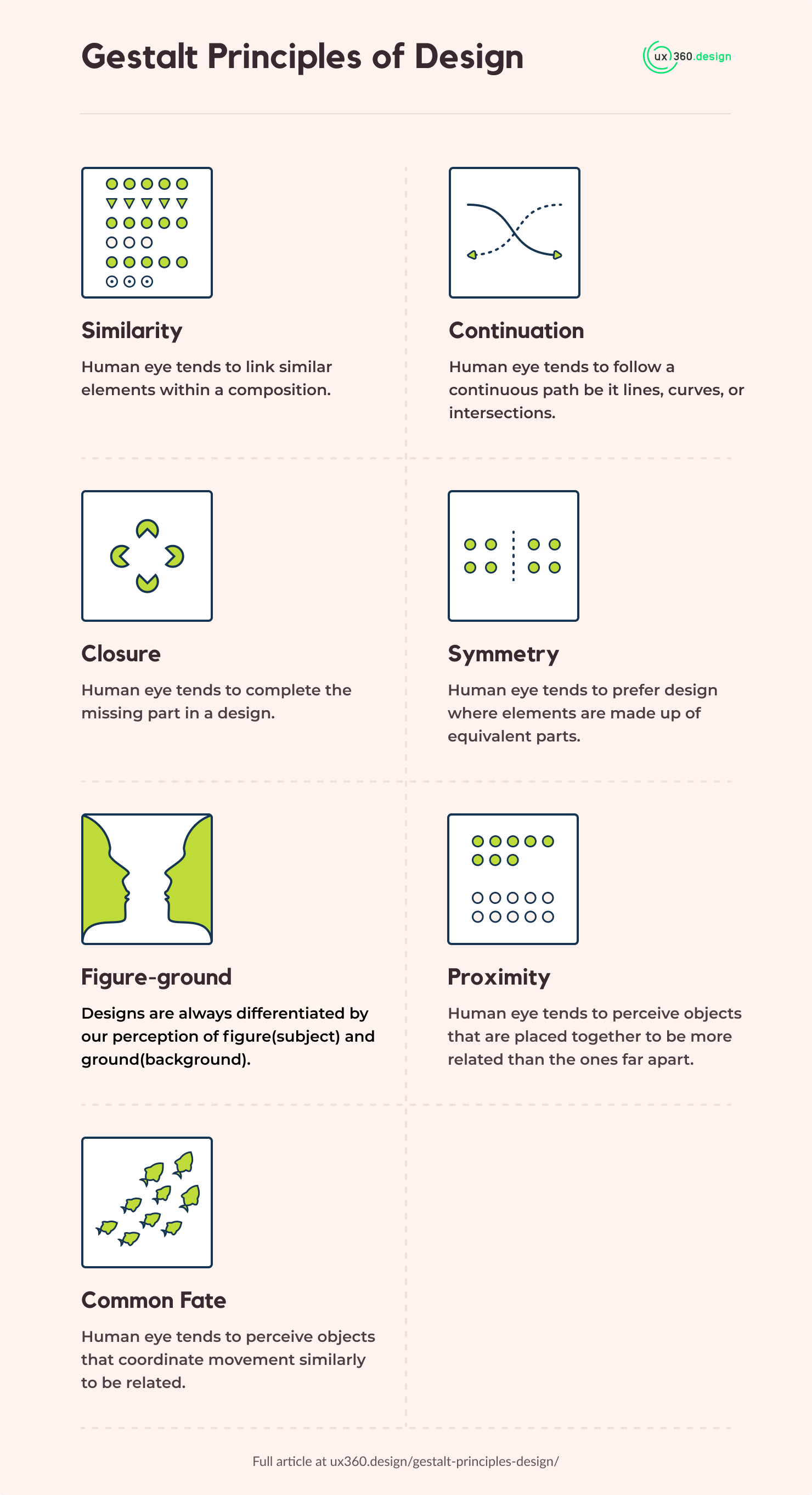
The Gestalt principles of design are rules that describe how people group what they see into wholes: the brain simplifies, organizes and rearranges a busy scene so it makes sense.
There are eleven in this guide: symmetry, proximity, common fate, figure-ground, similarity, continuation, closure, common region, uniform connectedness, focal point and Pragnanz. Here is each one in a line, with where it shows up in an interface:
| Principle | What the eye does | In an interface |
|---|---|---|
| Symmetry | Prefers two matching halves | A centered hero with equal margins |
| Proximity | Groups things that sit close | A label placed next to its field |
| Common fate | Groups things that move together | A list that slides in as one block |
| Figure-ground | Splits a scene into object and background | A modal over a dimmed page |
| Similarity | Groups things that look alike | All links share one color |
| Continuation | Follows a line or curve | A row of cards that runs off the edge |
| Closure | Fills in missing edges | A logo made of open shapes |
| Common region | Groups things inside one boundary | A card around a price and its button |
| Uniform connectedness | Groups things joined by a line | Steps linked in a progress bar |
| Focal point | Goes first to what stands out | One filled button among outlined ones |
| Pragnanz | Takes the simplest reading | Any layout, because it runs on all of them |
The sections below take them one at a time, with examples. Here is a handy infographic for those who are looking for a gestalt principles cheat sheet:
Download the gestalt principles infographics
Before the list, here is the whole idea in one picture. Every rule below is applied to the same eighteen dots, and only one of them moves anything:
Even spacing, one fill, no enclosure and no connection. There is nothing to group on, so the eye reads a single field of eighteen dots and no structure at all.
1. Symmetry
Symmetry principle states that the human eye tends to prefer design where elements are made up of equivalent parts.
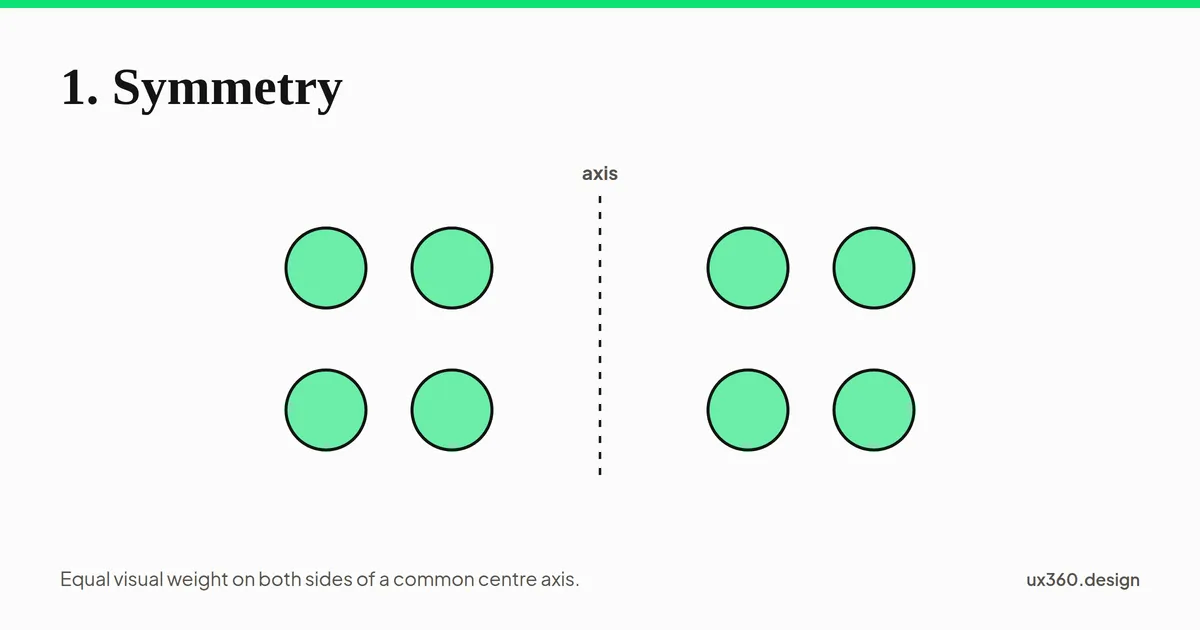
An example of symmetry would be how human faces have two equivalent elements like eyes, ears, hands, and legs forming symmetry. The goal is to bring balance to compositions using symmetry.
If you are looking to learn more about the symmetry principle, I suggest reading my article on Symmetry: How we bring balance to Compositions.
2. Proximity
Proximity principle states that the human eye tends to perceive objects that are placed together to be more related than the ones far apart.
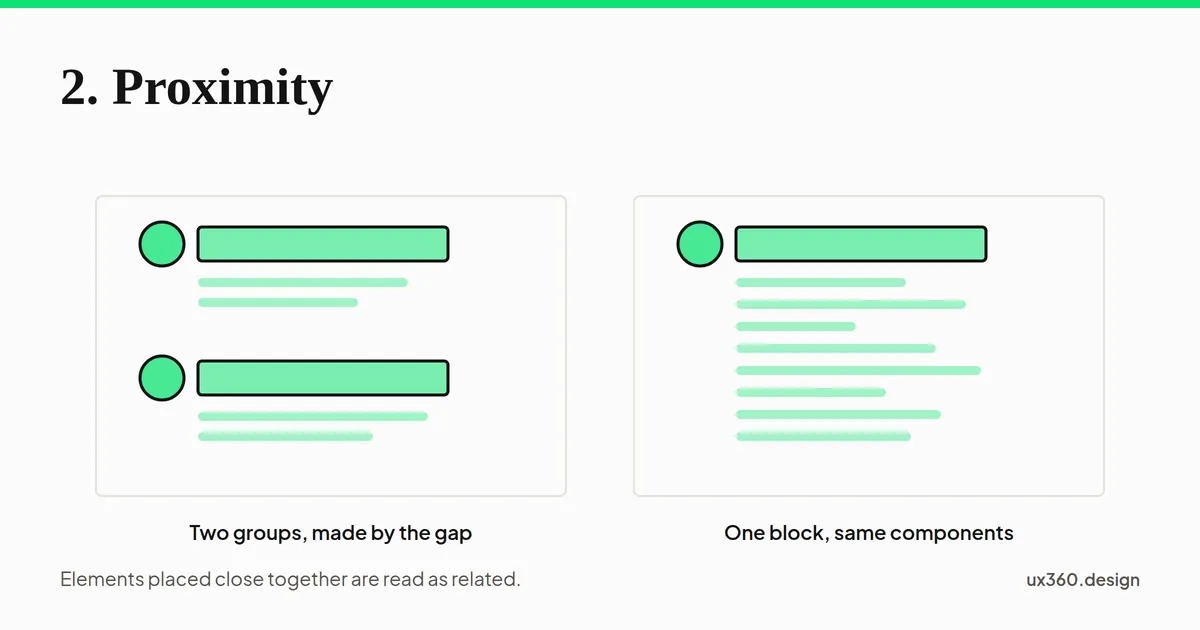
For example, if we put a bunch of random numbers together, people would perceive it to be some kind of code or a phone number. In UX, grouping numbers like this to convey information is known as chunking. If we put the same numbers separated from each other, people would simply assume that they are merely separate, individual numbers, and nothing other than that.
If you are looking to learn more about the proximity principle, I suggest reading my article on Proximity: Associating relatedness through placement.
3. Common Fate
Common fate principle states that the human eye tends to perceive objects that coordinate movement similarly to be related.
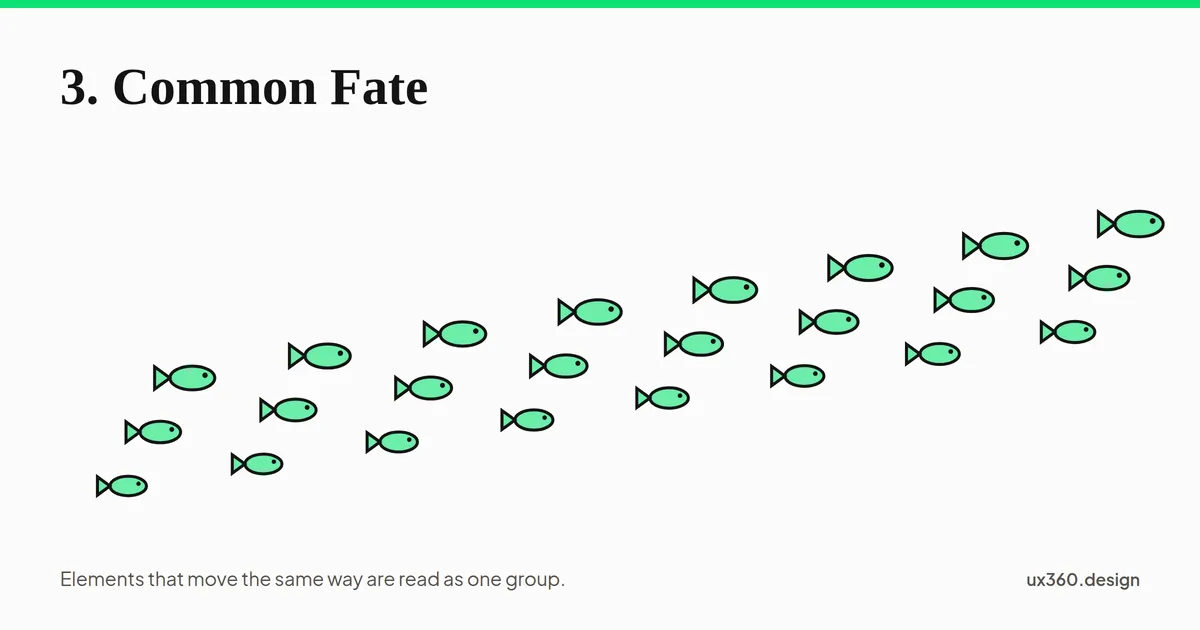
An example of common fate would be coordinated movements of a school of fish or an army of ants.
If you are looking to learn more about the common fate principle, I suggest reading my article on Common Fate: Using Coordinated Motion in Design to Associate Relations.
4. Figure-ground Relationship
Figure-ground principle states that the designs are always differentiated by our perception of figure(subject) and ground(background).
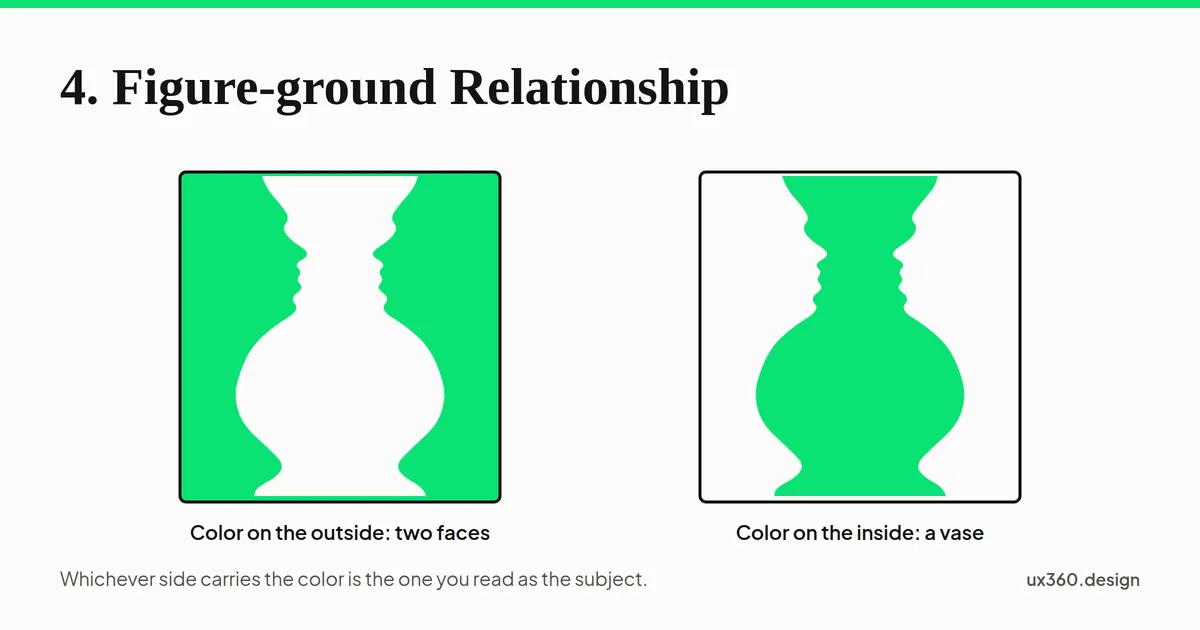
Simply put, the figure is the focus of any compositions, and the ground is the supporting background. For example, in the image above contrasting colors are used to differentiate subject and background. Our eyes see either two human faces or the vase depending on how we use the color to highlight the foreground.
If you are looking to learn more about the figure-ground principle, I suggest reading my article on Figure-ground Relationship: Differentiating Elements by Perception of Subject & Background.
5. Similarity
Similarity principle states that the human eye tends to link similar elements within a composition.
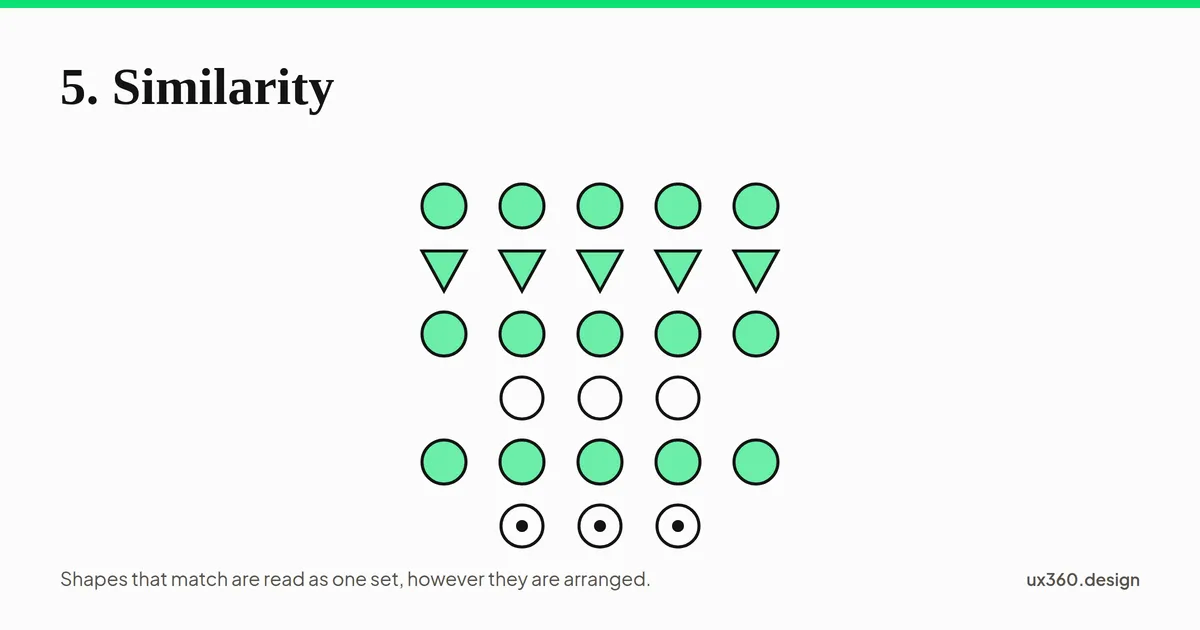
For example, in blog posts, we can differentiate headings, content, and links by how they are designed or formatted. While scanning the post we will start linking the similar elements with big bold fonts as the header, normal fonts as content, and blue colored texts as links.
If you are looking to learn more about the similarity principle, I suggest reading my article on Similarity: Associating relatedness through shape, size, color & orientation.
6. Continuation
Continuation principle states that the human eye tends to follow a continuous path be it lines, curves, or intersections.
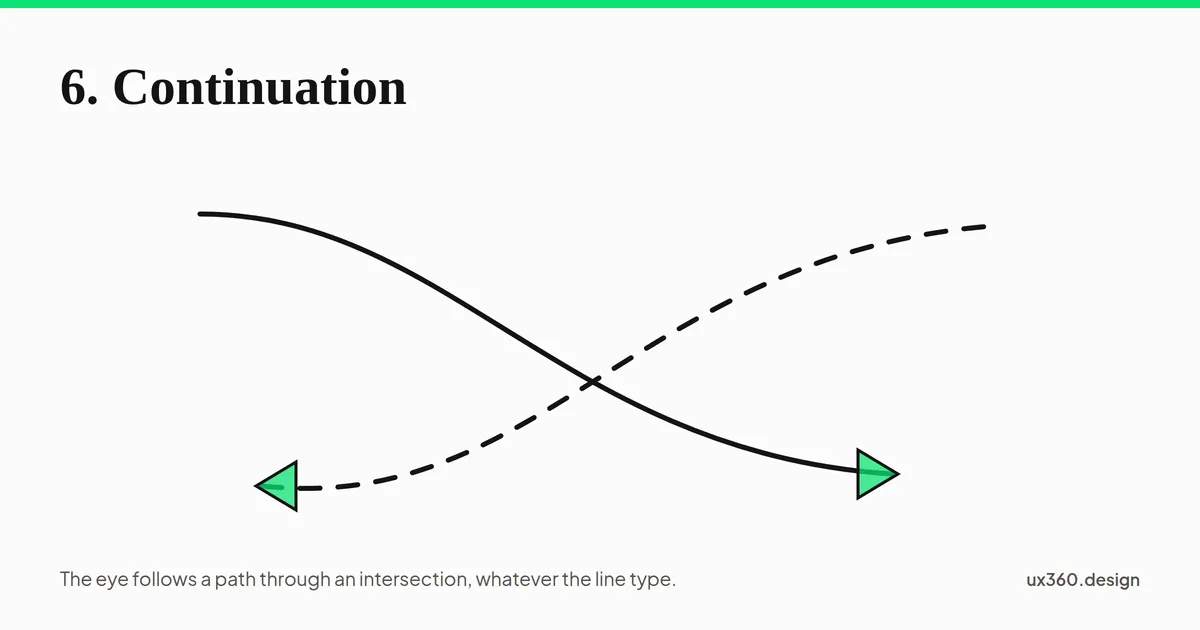
In the above image, our eyes will follow the path directed by the arrow regardless of intersections or line type.
If you are looking to learn more about the continuation principle, I suggest reading my article on Continuation: Visual Perception of Continuous Flows & Paths.
7. Closure
Closure principle states that the human eye tends to complete the missing part in a design.
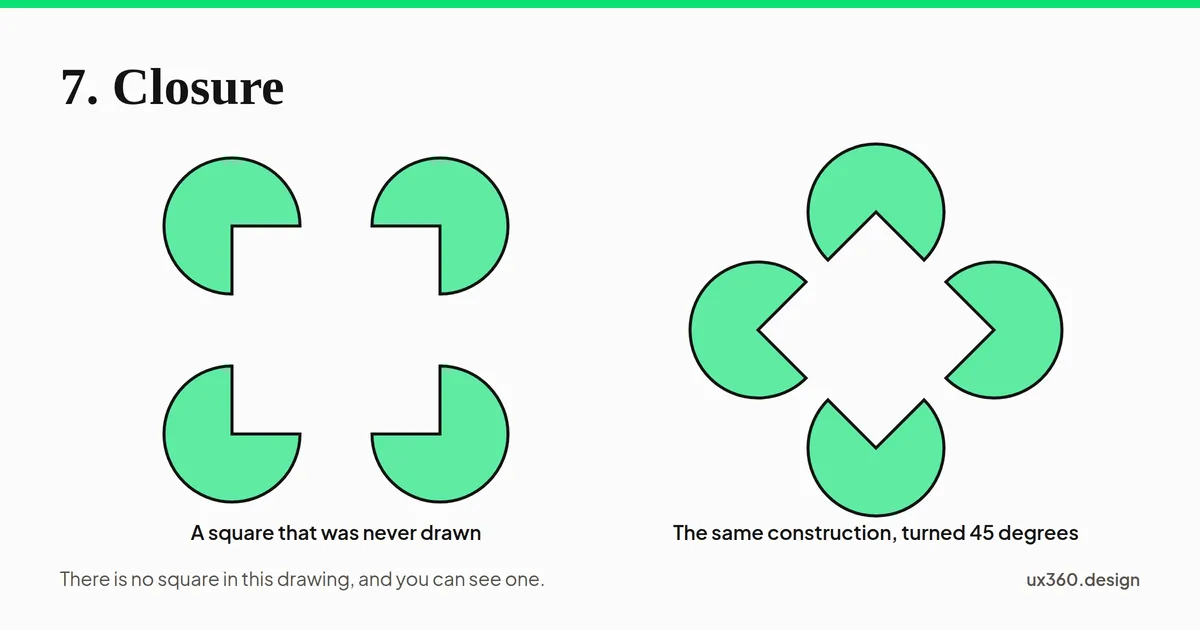
In the above image, our eyes will notice a square inside the Pacmans whereas there is no square present in the image. Our brain will complete the missing parts itself.
If you are looking to learn more about the closure principle, I suggest reading my article on Closure: how our brains fill in the missing visual gaps & how to use Closure in designs.
8. Common Region
Common region states that a shared boundary groups whatever it encloses, even when nothing else about those elements is related.
Proximity needs space to work with, and space is the one thing a dense interface does not have. Common region is what you reach for instead. Draw a boundary and everything inside it is a group, regardless of how close the contents are to what sits outside.
Set the diagram at the top of this article to Common region and the effect is visible with nothing else changed: identical dots, even gaps, and the outline alone splitting one field into two groups. This is the principle behind most of the containers you already use. A card, a modal, a fieldset, a table with ruled rows, a settings panel: each one is an enclosure doing the grouping that spacing alone could not. It is also strong enough to override proximity, which is worth knowing when the two disagree. An element that sits closer to its neighbour than to anything else will still read as belonging to whatever box it is drawn inside.
The cost is ink. Every boundary you add is another line competing for attention, which is why a well-spaced layout beats a heavily boxed one when there is room for both.
If you are looking to learn more about the common region principle, I suggest reading my article on Common Region: Grouping by a shared boundary.
9. Uniform Connectedness
Uniform connectedness states that elements joined by a visible link are read as a single unit, and it generally wins when the grouping rules disagree.
Connection is the strongest grouping signal on this list. Two elements joined by a line read as one thing even when proximity, similarity and common region all say otherwise, which makes it the rule to use when you need a relationship to survive a busy screen.
Interfaces lean on it constantly. A breadcrumb reads as one path because the separators connect it. A segmented control reads as one control rather than three buttons because the segments share an edge. A stepper, a timeline, a tree view, a line connecting a label to the thing it labels: all of them are connectedness. So is the humble table row, where the shared rule joins cells that are nowhere near each other.
Because it is the strongest signal, it is also the easiest one to use by accident. A divider drawn between two sections will group whatever sits on either side of it if the spacing is even, which is how a border meant to separate ends up joining instead. The research, and where connection does not win, is in uniform connectedness.
10. Focal Point
Focal point states that the element which differs from everything around it is where the eye starts reading.
Every other principle here answers the question of what belongs with what. This one answers a different question: where does the eye go first. It is the odd one out on the list, and worth keeping separate in your head for that reason.
A focal point is made by difference rather than by size alone. A single saturated element in a muted field, one large number among small ones, a filled button among outlined ones: what they share is that one thing breaks the pattern the rest establish. The pattern is what makes the break legible, so the principle fails the moment you use it twice. Two focal points is no focal point.
This is the perceptual mechanism underneath emphasis and visual hierarchy, and it is why contrast is the tool you actually reach for to build one.
11. Prägnanz
Prägnanz states that the eye takes the simplest reading available to it, and it is the law the other ten principles are special cases of.
You read a square with a circle in front of it: two complete, regular shapes, one partly hidden behind the other. You were not aware of choosing that reading.
Prägnanz, sometimes written without the umlaut and sometimes called the law of good figure or the law of simplicity, is the oldest and most general of the Gestalt findings. Everything above is a particular way it shows up. Grouping by proximity is simpler than tracking eighteen separate dots. Reading a circle behind a square is simpler than accounting for three irregular regions. Completing a shape is simpler than explaining four unrelated gaps.
Stated as a working rule: the eye will find the simplest explanation for what is on screen, and it will find it whether or not that explanation is the one you intended. A layout that can be read two ways gets read the simpler way, not the correct one.
That is the practical value of the whole list. These are not effects you switch on. They are running on every screen you have ever shipped, grouping things and directing attention with or without your involvement. The choice is only whether the reading they produce is the one you meant.
If you are looking to learn more about Prägnanz, I suggest reading my article on Law of Prägnanz: Why the Eye Takes the Simplest Reading.
Further Reading
If you are looking to research further on design principles, then I would recommend reading up on the following articles:
Frequently asked questions
What are the Gestalt principles of design?
They are rules from perceptual psychology that describe how people group what they see into wholes. This article covers eleven: symmetry, proximity, common fate, figure-ground, similarity, continuation, closure, common region, uniform connectedness, focal point and Pragnanz.
Why do Gestalt principles matter for UI design?
Users read interfaces by grouping elements before reading them. Proximity and similarity decide which buttons belong together, and figure-ground decides what reads as content versus background.
What is the most used Gestalt principle in interfaces?
Proximity. Spacing alone tells users which labels belong to which fields and which items form a group, without adding borders or boxes.
What is Pragnanz in Gestalt psychology?
Pragnanz, also written Praegnanz and called the law of good figure or the law of simplicity, says the eye takes the simplest reading available to it. It is the overarching law, and the other ten principles are special cases of it.
See how your own screen handles this. The free AI design critique measures its contrast exactly, then names up to three fixes, each tied to a principle like this one.Open the design critique

Written by